Setting Up a Security Operations Center: A Step-by-Step Guide
You don't need an enterprise budget to build a functional SOC. This guide walks through the equipment, software, staffing, and processes needed for 24/7 monitoring.

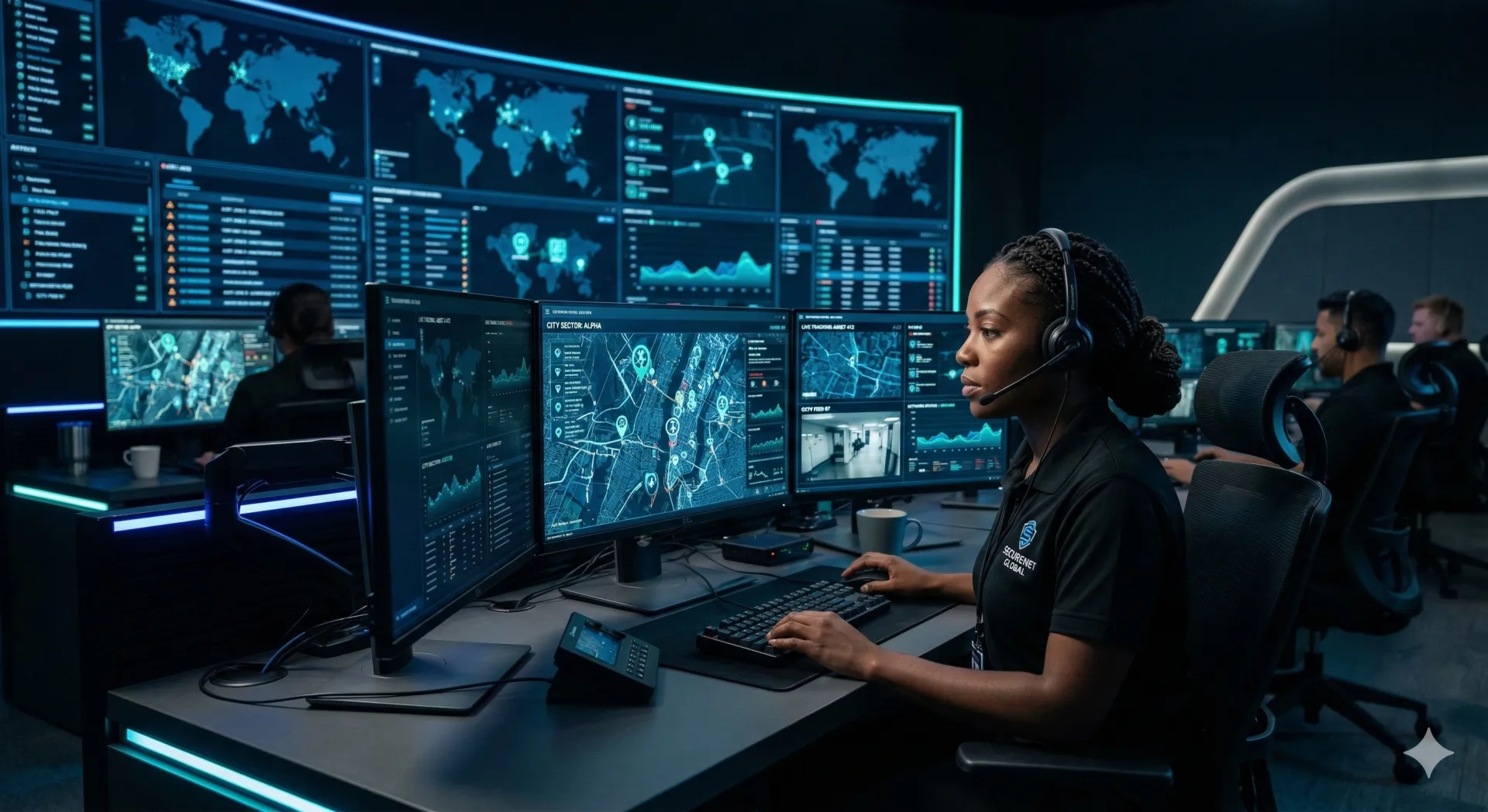
You don't need a Fortune 500 budget to build a security operations center. A 30-guard company covering eight commercial properties can build a functional SOC for under $25,000. This guide covers the practical steps — physical layout, technology choices, staffing models, and budget tiers — for building monitoring capability that actually works.
A basic SOC runs $10-25K to set up (desk, monitors, UPS, VMS software, internet redundancy). Mid-range is $50-100K (dedicated room, video wall, integrated platforms). Staff at $18-22/hour for operators. Start with your own sites during business hours, prove the model works, then sell monitoring services to clients at $500-2,000/site/month. The most common mistake is buying too many monitors and not enough chairs.
Defining Your Scope
Before you spend a dollar on equipment, answer four questions:
- What are you monitoring? Camera feeds, alarm panels, GPS tracking, access control, fire panels — or some combination? A SOC that tries to monitor everything on day one monitors nothing well.
- What hours? 24/7 monitoring requires 4.2 FTEs to staff one seat continuously (accounting for days off, sick time, and vacation). At $20/hour, that's roughly $175,000/year in labor for a single operator position. Most companies start with extended business hours (6 AM - 10 PM) and add overnight coverage once revenue justifies it.
- What's the response? Observe-and-report (log it, notify the client), observe-and-dispatch (send a guard), or direct coordination (talk the field officer through the situation in real time)? Each level requires different technology and training.
- Internal or client-facing? Monitoring your own sites is simpler — you control the cameras, the access, the procedures. Selling monitoring as a service to clients adds contracts, SLAs, reporting requirements, and liability.
Start narrow. A SOC that reliably monitors 5 sites is worth more than one that inconsistently monitors 50.
Physical Layout
The Space
You need a dedicated room. Not a corner of the office, not a shared space — a room where the door can close, the lighting can be controlled, and operators can focus without interruption. A 150-200 square foot room handles one operator station comfortably. Double that if you plan to scale to two or three stations.
Sight Lines and Monitor Placement
The operator needs to see every active display without turning more than 30 degrees in either direction. Critical alert monitors go directly in front. Camera cycling displays go left and right. Ambient information (weather, news, GPS maps) goes on the periphery or on a wall-mounted display above the main workstation.
Common mistake: buying a 12-monitor video wall because it looks impressive. In practice, a single operator can effectively monitor 4-6 screens. Beyond that, you're just decorating. Start with 4 monitors per station. Add more only when the operator specifically requests them for workflow reasons.
Ergonomics
Your operator sits in this chair for 8-12 hours. A $200 office chair from Amazon will cause back pain within a month, leading to sick days, turnover, and workers comp claims. Spend $800-1,200 on a proper ergonomic chair — Herman Miller Aeron, Steelcase Leap, or equivalent. This isn't a luxury. It's cheaper than the alternative.
Desk height should accommodate both sitting and standing if possible. Sit-stand desks run $500-1,000 and dramatically reduce fatigue during long shifts.
Lighting
Dim, not dark. Complete darkness causes eye strain and drowsiness. Overhead fluorescents cause glare on screens. The goal is indirect ambient lighting — LED strips behind monitors, adjustable desk lamps, or dimmed overhead LEDs. Avoid any light source that reflects on the screens.
Temperature and Airflow
Multiple monitors, computers, and network equipment generate heat. A small room with six monitors and two PCs will get uncomfortably warm without dedicated cooling. Budget for a small split AC unit or ensure the existing HVAC can handle the heat load. A warm SOC is a drowsy SOC.
Technology Stack
Video Management System (VMS)
The VMS aggregates camera feeds from all your sites into one interface. Options range widely:
- Budget ($0-2,000): Blue Iris, Milestone XProtect Essentials+ (free for up to 8 cameras per site), iSpy — functional for small deployments
- Mid-range ($2,000-15,000): Milestone XProtect Professional+, Genetec Security Center (basic), Exacq — handles 50-200 cameras across multiple sites
- Enterprise ($15,000+): Genetec Security Center (full), Milestone XProtect Corporate, Avigilon — 500+ cameras, analytics, integrations
For a startup SOC, Milestone XProtect Essentials+ is free and handles most small deployments. Graduate to the Professional+ tier when you exceed the camera limits or need centralized management across sites.
Access Control Integration
If your clients have access control systems (card readers, key fobs, biometrics), integrating that data into the SOC gives operators context. A door-forced alarm means something different at 2 PM (probably a delivery driver propping a door) than at 2 AM (probably unauthorized access). Integration lets the operator pull the nearest camera and verify in seconds.
Communication Systems
The SOC operator needs to reach field guards instantly. Options:
- Two-way radio: Traditional, reliable, no cell dependency. But limited range and no integration with digital systems.
- Cellular PTT (push-to-talk): FirstNet, Verizon PTT, or app-based PTT like TeamMap. Works anywhere with cell signal, integrates with the dispatch workflow.
- Phone/text: Last resort. Too slow for urgent dispatching, no group communication.
A platform like TeamMap gives the SOC operator push-to-talk, messaging, and live guard locations on the same screen — no switching between a radio console and a GPS tracking app.
Redundant Internet
Your SOC is useless without internet. Camera feeds, alarm signals, GPS data — it all comes over the network. A single ISP with a single connection is a single point of failure. Budget for a second connection from a different provider, or at minimum a cellular failover (Cradlepoint, Peplink). Expect $100-300/month for the backup connection. Cheap insurance.
UPS (Uninterruptible Power Supply)
At minimum, put the workstation PCs and network equipment on a UPS. A 1500VA unit ($150-300) gives you 15-30 minutes of runtime during a power outage — enough to save work and transition to backup procedures. For a more serious setup, a larger UPS or a generator ensures the SOC stays online during extended outages.
Budget Tiers
Basic SOC ($10,000 - $25,000)
One operator station in a dedicated room. 4 monitors, one workstation PC (i7/32GB RAM minimum for handling multiple camera streams), ergonomic chair, sit-stand desk, UPS, basic VMS software, redundant internet. Handles 5-15 sites with up to 100 cameras total.
- Monitors (4x 27"): $800-1,200
- Workstation PC: $1,500-2,500
- Desk and chair: $1,500-2,000
- UPS: $200-400
- VMS software: $0-2,000
- Network equipment: $500-1,000
- Redundant internet (install): $500-1,000
- Room prep (lighting, cooling, cable management): $2,000-5,000
- Guard management platform (annual): $2,000-5,000
Mid-Range SOC ($50,000 - $100,000)
Dedicated room with 2-3 operator stations, video wall (2x2 or 3x2 configuration), professional-grade VMS, integrated alarm monitoring, and proper acoustic treatment. Handles 20-50 sites, 200-500 cameras.
This tier is where you start selling monitoring as a service. The investment pays back when you're charging clients $500-2,000/site/month for professional monitoring.
Enterprise SOC ($250,000+)
Purpose-built facility with 5+ operator stations, massive video wall, redundant everything (power, internet, HVAC), access control on the SOC room itself, and an integrated command platform. If you're monitoring 100+ sites or serving as a central station for alarm monitoring, this is where you need to be.
At this level, you're also looking at UL listing for alarm monitoring, which opens up insurance discount programs for clients and significantly increases the value of your monitoring service.
Staffing Models for 24/7 Operations
Running a SOC around the clock is primarily a staffing math problem. Here are the numbers:
- One seat, 24/7: Requires 4.2 FTEs (three 8-hour shifts, 7 days/week, plus coverage for days off, vacation, and sick time). At $20/hour, that's roughly $175,000/year in labor before benefits.
- One seat, extended hours (6 AM - 10 PM): Requires 2.8 FTEs. Roughly $115,000/year in labor.
- Two seats, 24/7: 8.4 FTEs. Roughly $350,000/year. This is where you need monitoring revenue to justify the investment.
SOC operators are not field guards with screens. The skill set is different. You want people who are comfortable with technology, stay focused during quiet periods, and have the judgment to know when a blip on screen needs a dispatch versus a log entry. Pay $18-22/hour for operators, not the $15-17/hour you pay entry-level guards. The quality difference in incident response is worth it.
Common Mistakes
- Too many monitors, not enough training: A wall of screens means nothing if the operator doesn't know what to look for or how to respond. Spend as much on training and procedures as you spend on hardware.
- Cheap chairs: Your operator sits for 8+ hours. A bad chair causes fatigue, back pain, and eventually turnover or workers comp claims. The $1,000 chair is cheaper than the $50,000 claim.
- Single internet connection: When your one ISP goes down, your SOC goes blind. Always have a backup connection from a different provider or a cellular failover.
- No documented procedures: When an alarm goes off at 3 AM and the operator doesn't know the escalation path for that client, bad things happen. Every site needs a written response procedure.
- Trying to monitor too many sites too fast: Adding 20 sites in the first month before your operators are trained and your procedures are tested is a recipe for missed alarms and angry clients.
- Ignoring the overnight shift: The 11 PM - 7 AM shift is where most incidents happen and where operator fatigue is highest. This shift needs your best people, not your newest hires.
Phased Rollout
Key Takeaways
- A functional SOC starts at $10-25K — you don't need an enterprise budget
- 4-6 monitors per operator is the sweet spot. More screens does not equal better monitoring.
- Spend on the chair ($800-1,200) and the backup internet — these prevent the most common failures
- 24/7 staffing for one seat costs roughly $175K/year in labor. Start with extended hours to prove the model.
- SOC operators need different skills than field guards — tech comfort, focus, and judgment
- Documented procedures for every site and every alarm type. No exceptions.
- Start monitoring your own sites, prove it works, then sell it to clients at $500-2,000/site/month
Continue Reading

Video Analytics for Security: Beyond Basic Surveillance
AI-powered video analytics can detect intrusions, count people, and identify anomalies. This guide covers practical applications and integration strategies.

Florida Security Guard License Application: Division of Licensing Guide
Navigate the Florida Division of Licensing application process for security guards, including background checks, training providers, and processing timelines.

The 10 Best Security Guard Management Software Solutions in 2026
From enterprise platforms to mobile-first apps, we review the top security guard software options. Honest assessments of features, pricing, and who each solution works best for.